3,000 words.
One minute a day.
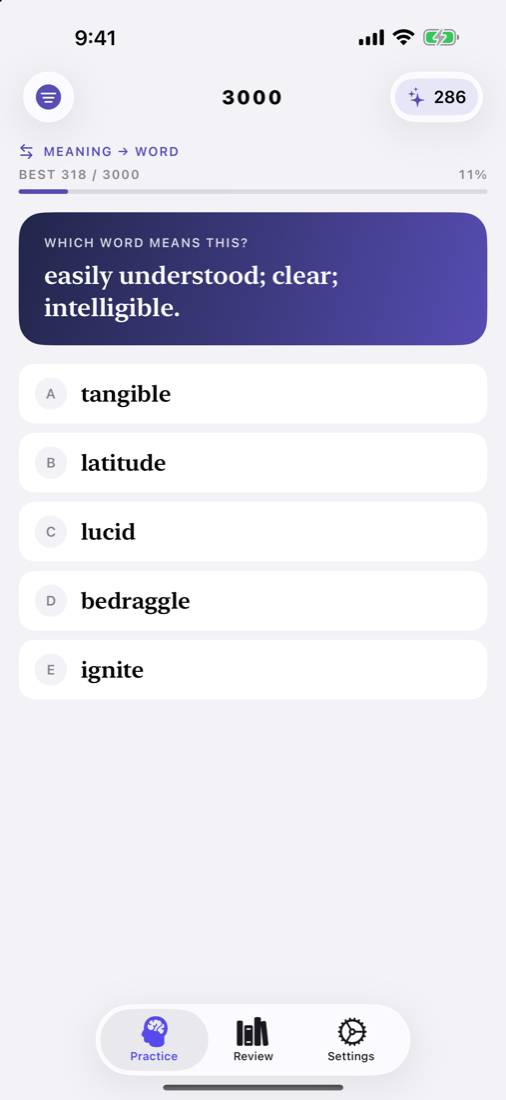
3000 shows you a word and five meanings. Pick one, see at once whether you got it, and learn from the answer either way. A round takes a minute, so it fits into a coffee break, a commute, or the moment before bed.
View on the App Store ↗For iPhone, iPad, and Apple Watch. Free, with optional 3000 Plus. No ads.
How a round works
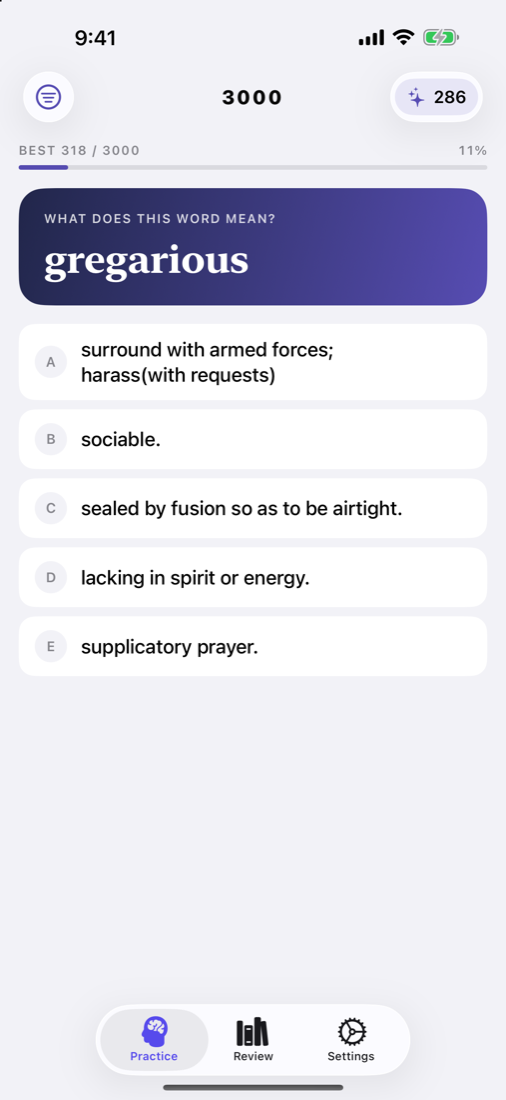
No setup, no account. Open the app and the first word is waiting.
Word
Advanced words worth knowing, from abase to zephyr.
Meanings
Only one is right. The others are real meanings of other words, so guessing is hard.
To master
Your score climbs with each right answer, and your best score tracks toward 3,000.
Learn from every answer
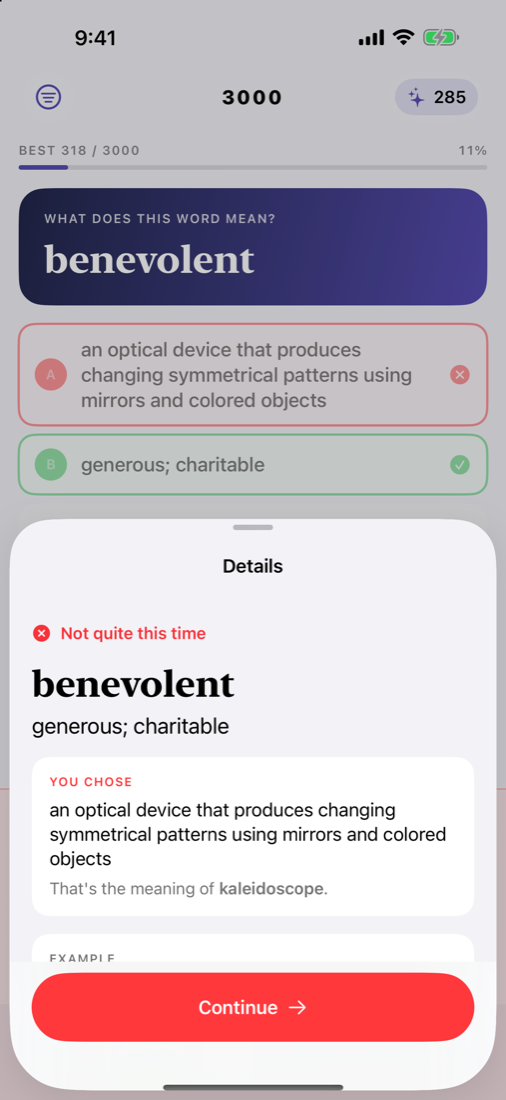
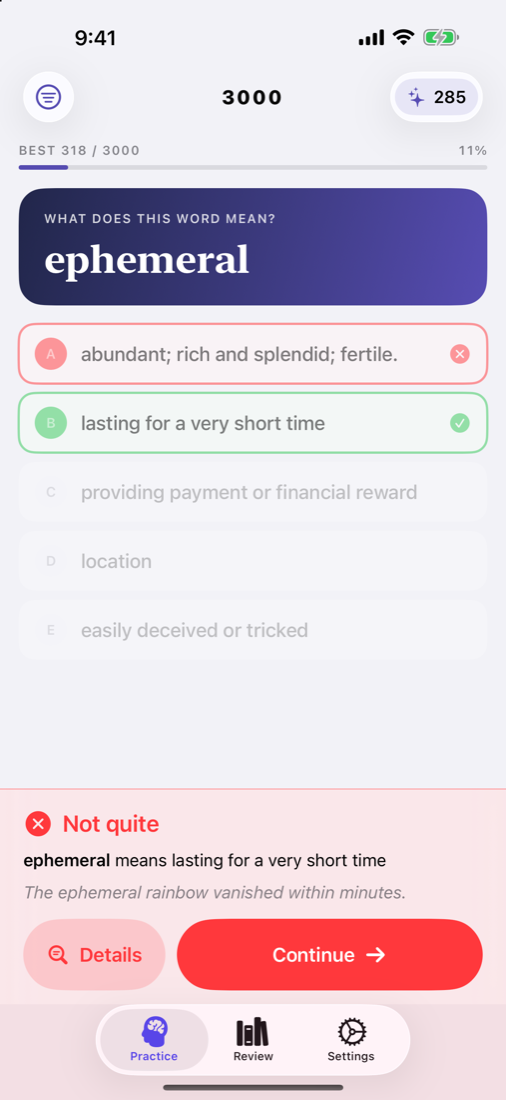
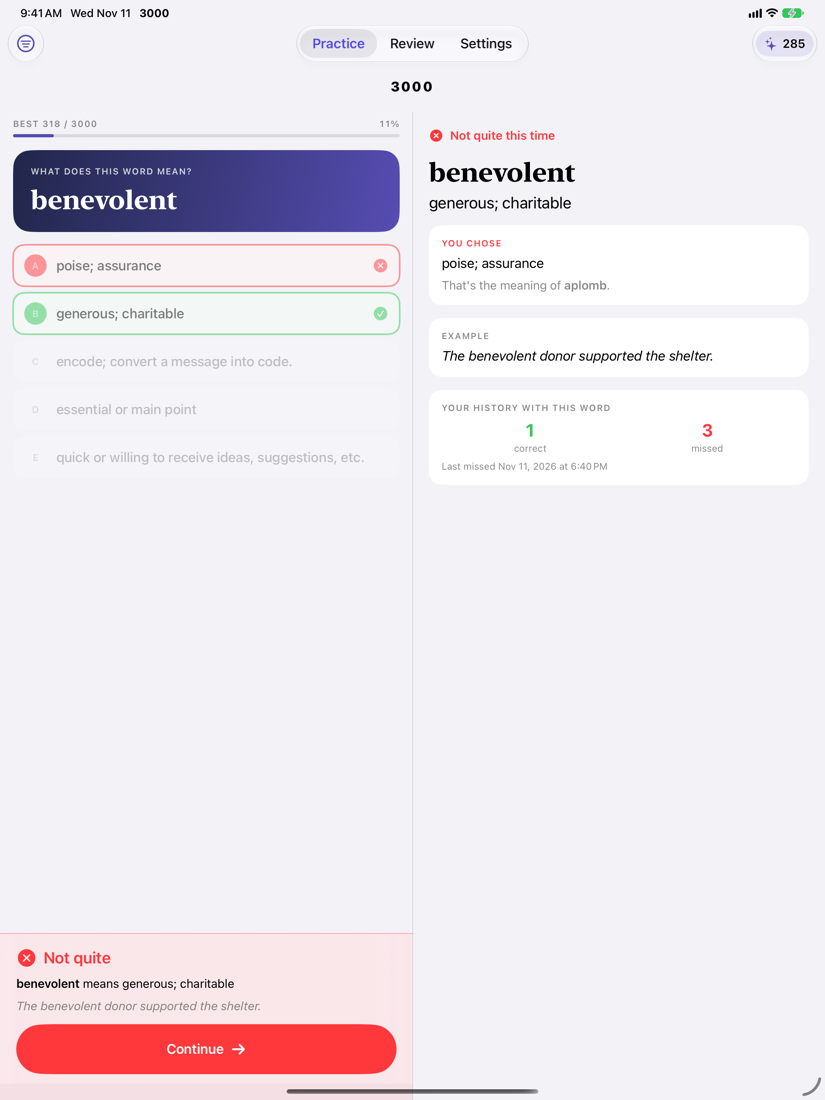
The answer and Continue sit at the bottom of the screen, so you never scroll between words. Tap Details for more.
- The full meaning and an example, to show how the word is used.
- What your pick really means. Choose the wrong meaning and Details names the word it belongs to, so you learn two words at once.
- Your history with the word: how often you've got it right, and when you last missed it.
Make it a habit
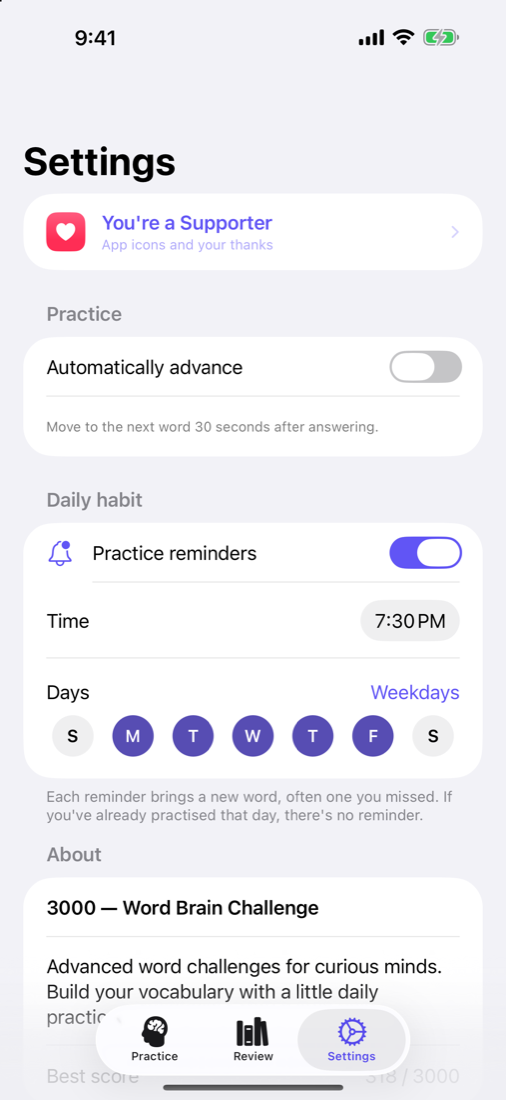
A short round at the same time each day is the easiest way to build a vocabulary. 3000 does the remembering.
- Choose a time and the days. Every day, weekdays, weekends, or any mix.
- Each reminder brings a word, often one you missed. Answer it right from the notification, or tap to start a round on that word.
- No nagging. If you've already practised that day, there's no reminder.
On your Apple Watch
3000 had an Apple Watch app years ago, and it's back, rebuilt for today's watches.
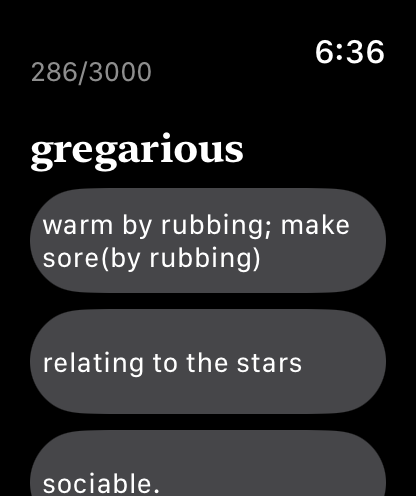
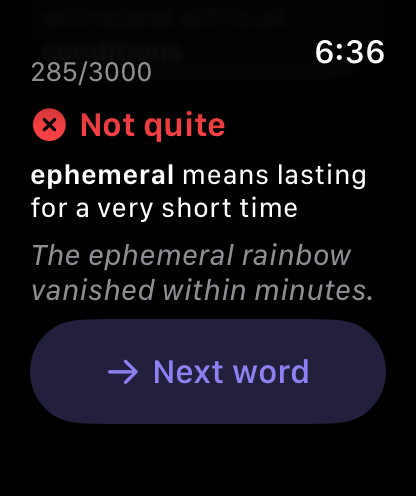
- Answer a reminder on your wrist. With your iPhone locked, the reminder shows three meanings. Tap one and you'll know at once if you're right.
- A quick round in spare moments. A word, three meanings, and a tap you can feel for each answer.
- Word of the Day on your watch face. A new word every day, and a tap to test yourself.
- It all counts. Every answer on the watch counts on your iPhone too.
Made for every screen
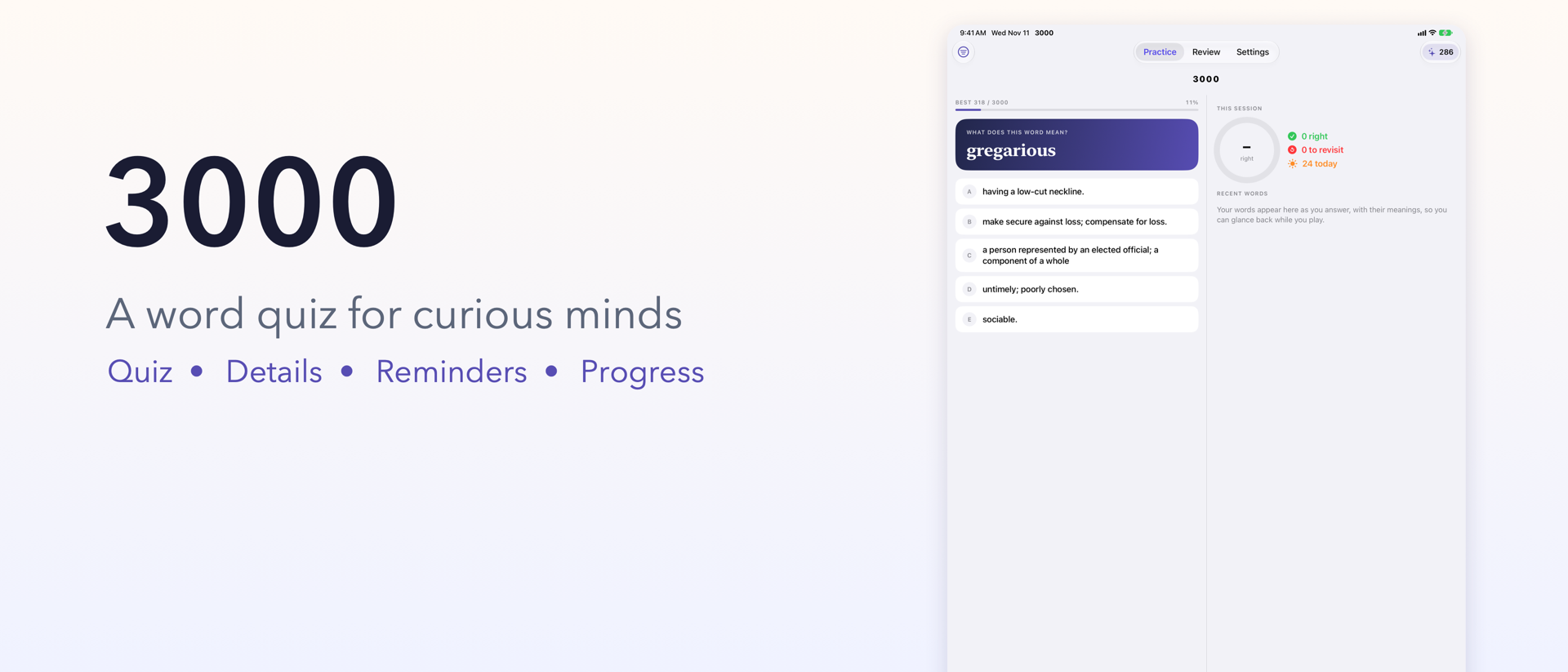
On iPad, in landscape, and on the open iPhone Duo, the details sit beside the quiz: your session and recent words before you answer, the full meaning after.
Get the most from 3000
Turn on reminders
In Settings, turn on Practice reminders and choose an evening time. Notifications are asked for only then.
Read Details when you miss
A missed word is the best moment to learn it. Details shows what it means and what your pick meant instead.
Install the Apple Watch app
On iPhone, open the Watch app, find 3000 under Available Apps, and tap Install. Then add Word of the Day to your watch face.
Revisit your misses
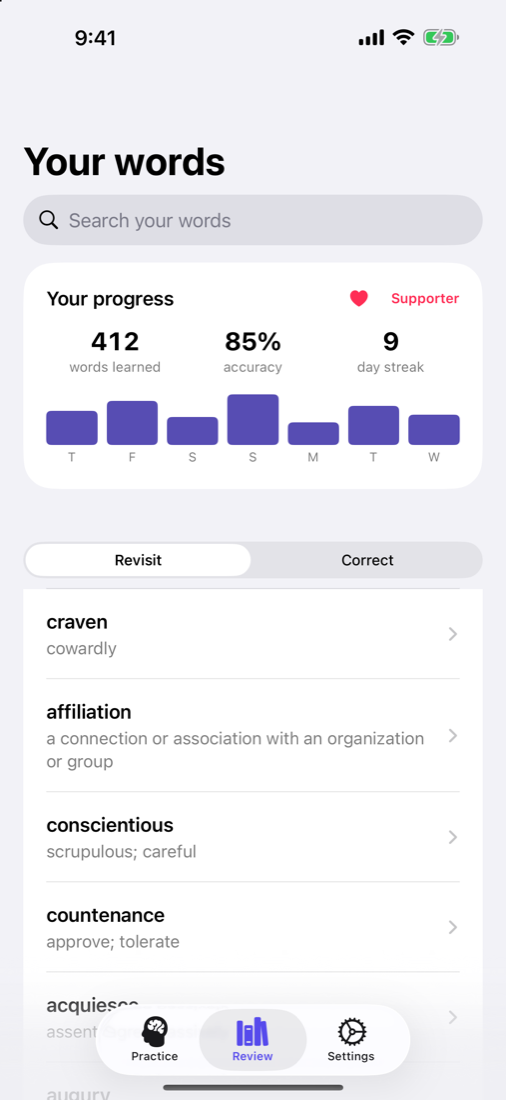
Review lists the words to revisit. With Plus, Practice Mistakes runs a round of only those words, until you've got them all.
Free or Plus?
Every word and every round is free for everyone, with no ads. Plus adds more ways to practise, shows your progress, and supports a small app.
| What you get | Free | Plus |
|---|---|---|
| The quiz, Details, Review and search | ✓ | ✓ |
| Reminders on your days, answered from the notification | ✓ | ✓ |
| Apple Watch app and Word of the Day | ✓ | ✓ |
| Reverse quiz: see the meaning, choose the word | – | ✓ |
| Practice Mistakes | – | ✓ |
| Progress | Score and best score | Also words learned, accuracy, day streak, and the last seven days |
| Day streak on your watch face | – | ✓ |
| Five more app icons | – | ✓ |
Plus is available monthly, yearly, or once for life, through your Apple Account. Prices are shown in the app.
Questions
I played the old 3000. Is my progress still there?
Yes. The first time you open the new version, your correct and missed words are brought across from the old app on your device. The original data is kept as a backup.
Does 3000 need an internet connection?
No. The words, the quiz, and reminders all work offline. A connection is needed only to buy or restore Plus.
Is there an account, or ads?
Neither. There's no sign-in, no advertising, and no tracking. Your answers stay on your iPhone, iPad, and Apple Watch.
Why didn't a reminder arrive?
Check that Practice reminders is on in 3000's Settings, and that notifications are allowed for 3000 in the iPhone Settings app. If you've already practised that day, 3000 skips the reminder on purpose.
Who is 3000 for?
Anyone who enjoys words: students preparing for the SAT, GRE, TOEFL, or IELTS, English learners, and curious readers who want a sharper vocabulary.